
Walkthrough
See a part go from upload to quote PDF
90-second walkthrough: upload → geometry read → priced on your rates → quote PDF
What your estimator sees
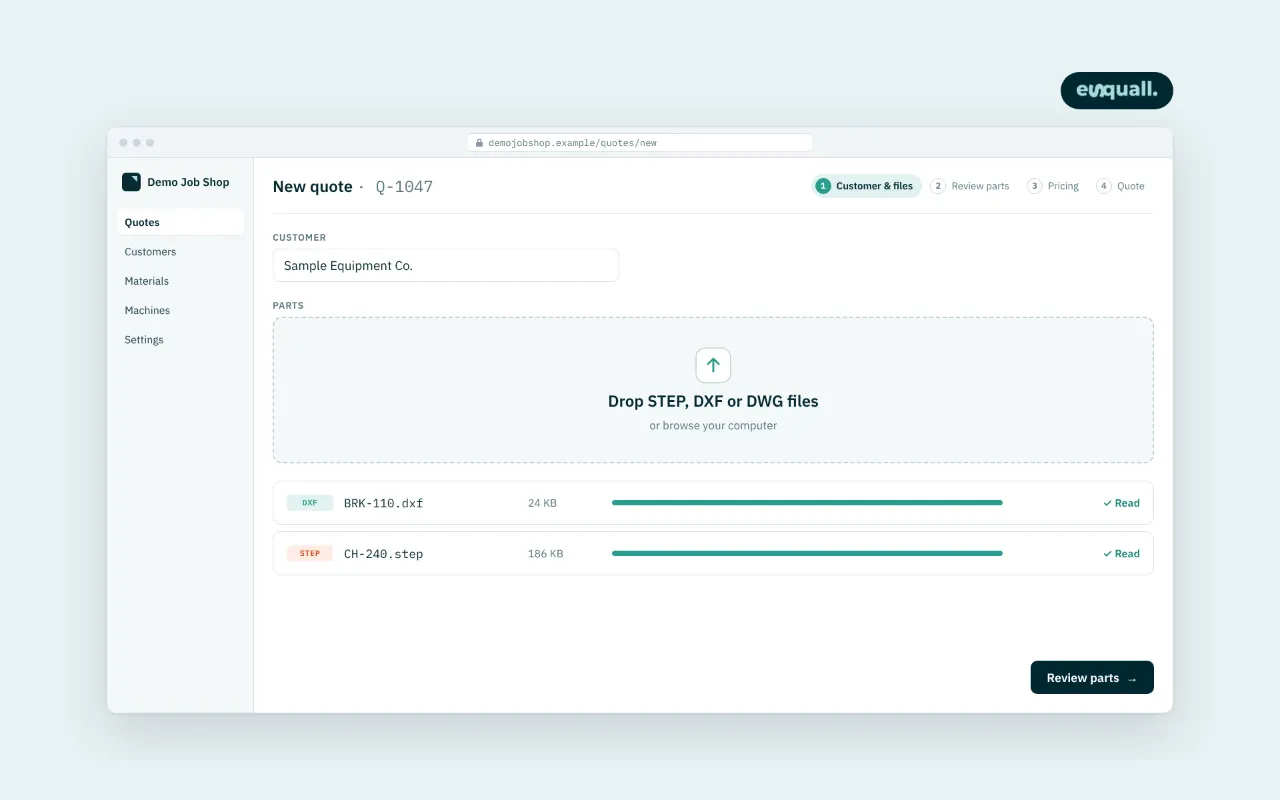
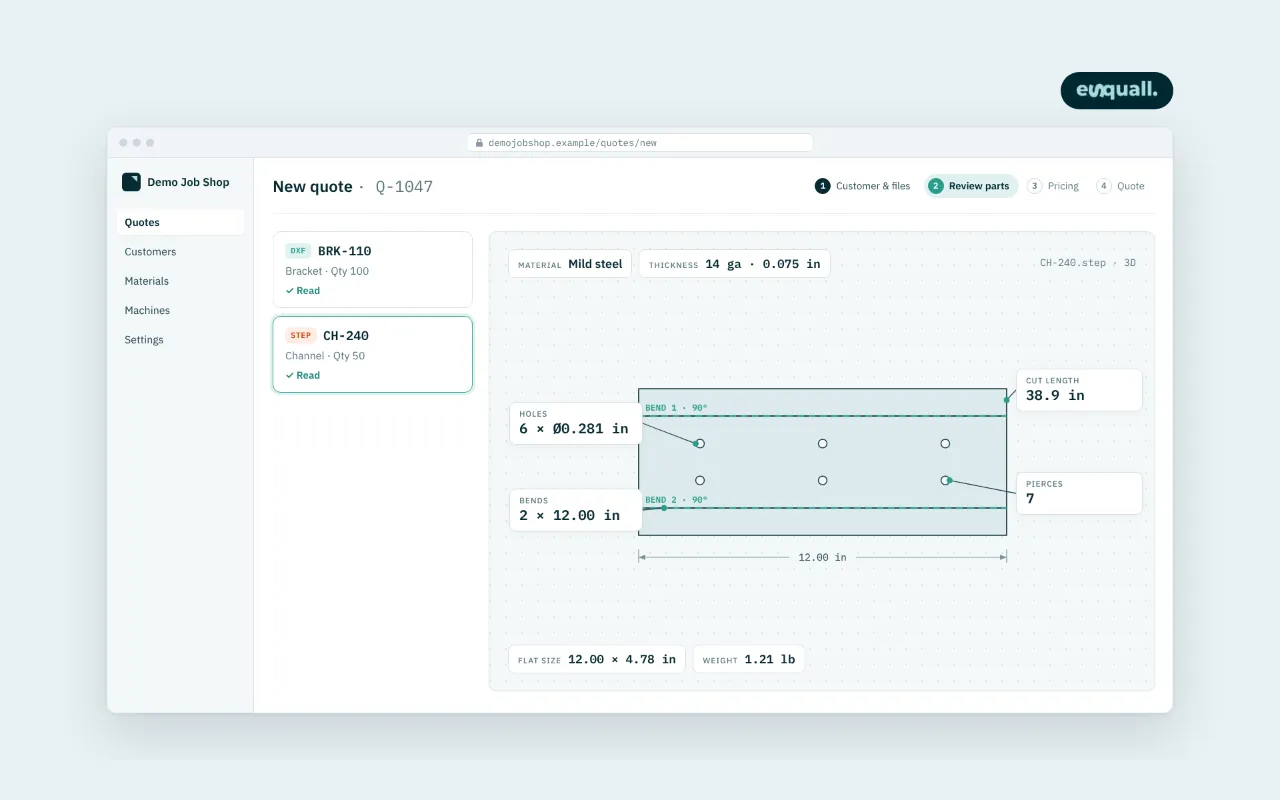
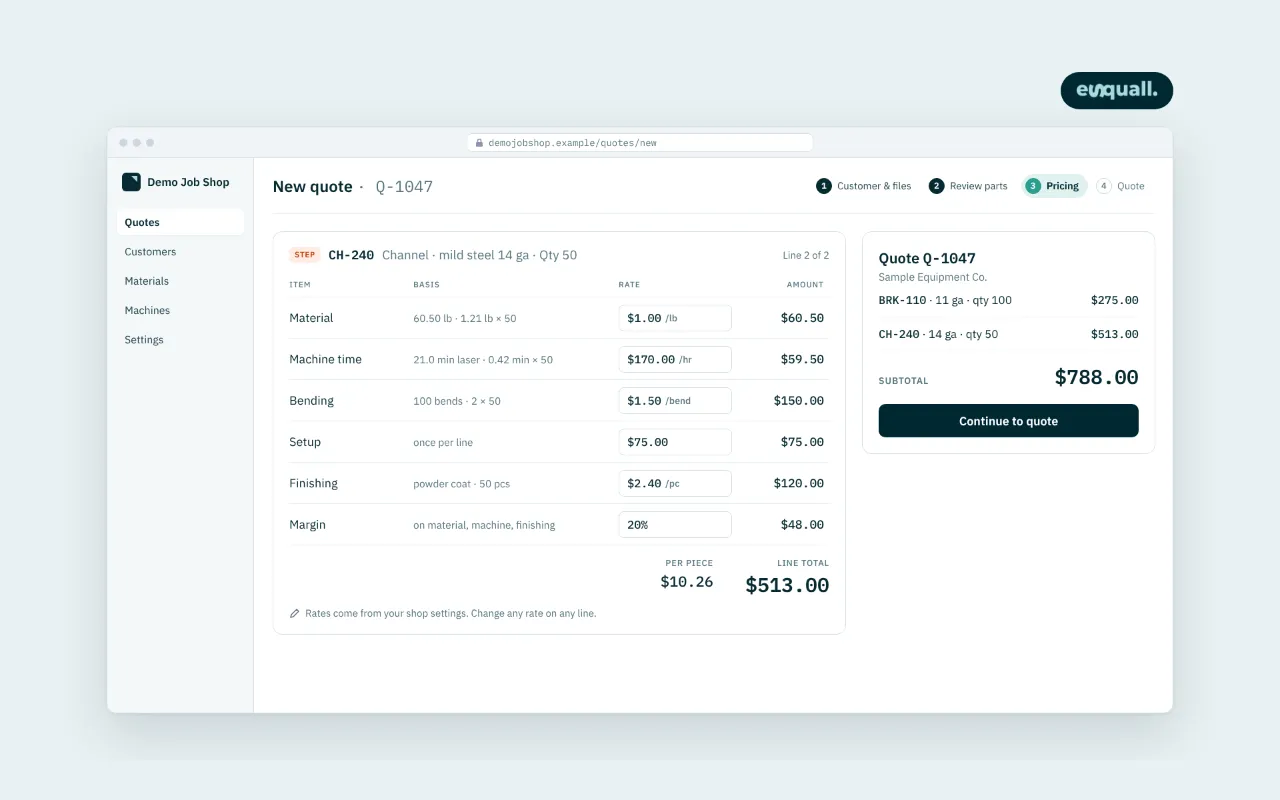
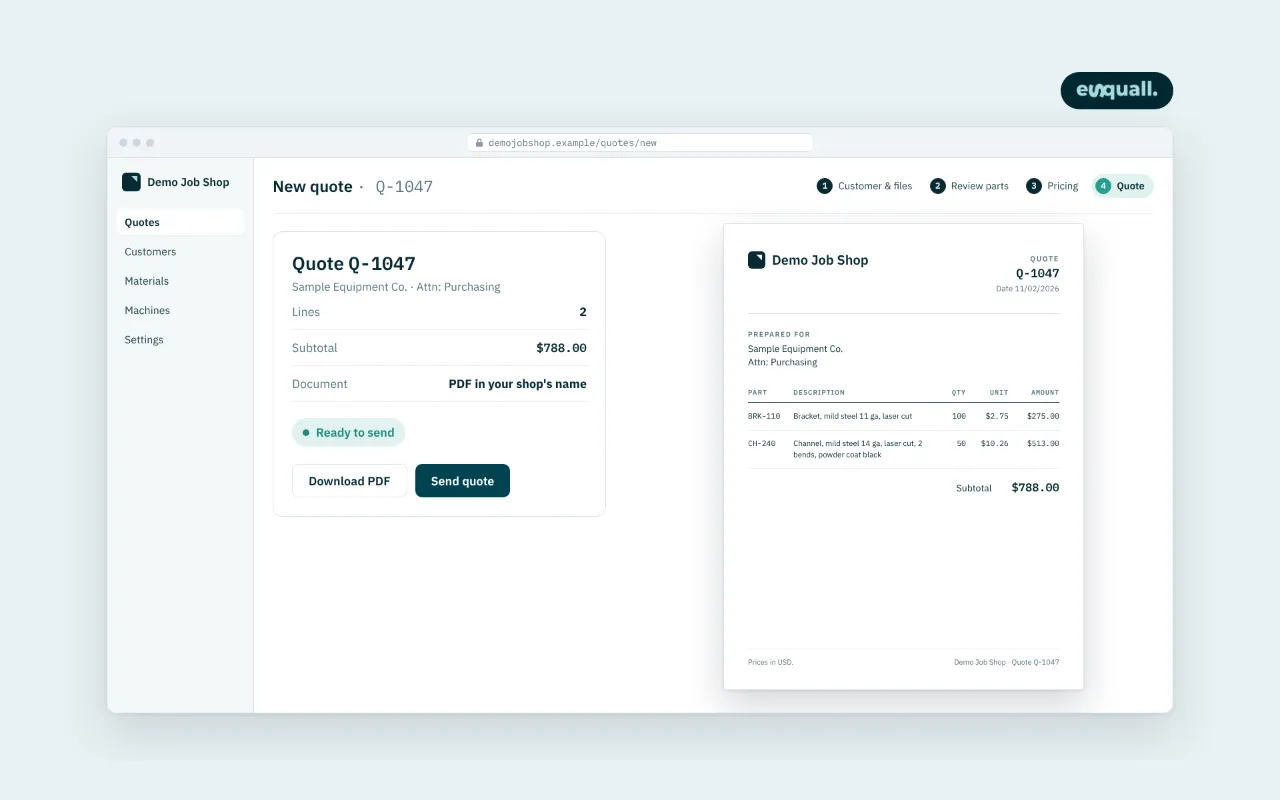
For estimators
What changes in your day, and what does not
What the system does
- Reads the file and measures cut length, pierces, bends and holes, so nothing is counted by hand.
- Builds the price from the shop's rate table, the same way every time, for every estimator.
- Keeps every quote and its inputs, so a repeat part is priced in seconds.
What stays with you
- Every quote is reviewed by you before it goes out; low-confidence parts are flagged for a look.
- Rush fees, customer-specific pricing and judgement calls are yours, on their own lines.
- Your CAM program is untouched. The system is checked against it, not the other way round.
Set-up
Live in ten working days
Day 1
Rates and processes
A one-hour call: your machines, materials, rates and margins.
Days 2–4
Set-up on your past quotes
Twenty of your quotes are loaded and compared.
Days 5–7
Tuning
Our engineer adjusts the rules until the numbers match yours.
Days 8–9
Your estimator tries it
Live parts, side by side with your current method.
Day 10
Go-live
Quotes go out from the system. A fifteen-minute check-in each week for the first month.
Send us a part file
Send one STEP or DXF and your current quote for it. Within two business days you get a sample quote back, priced on typical US shop rates, so you can compare.
Drawings subject to ITAR or EAR must not be uploaded. Files are stored privately and deleted after the sample quote is sent.